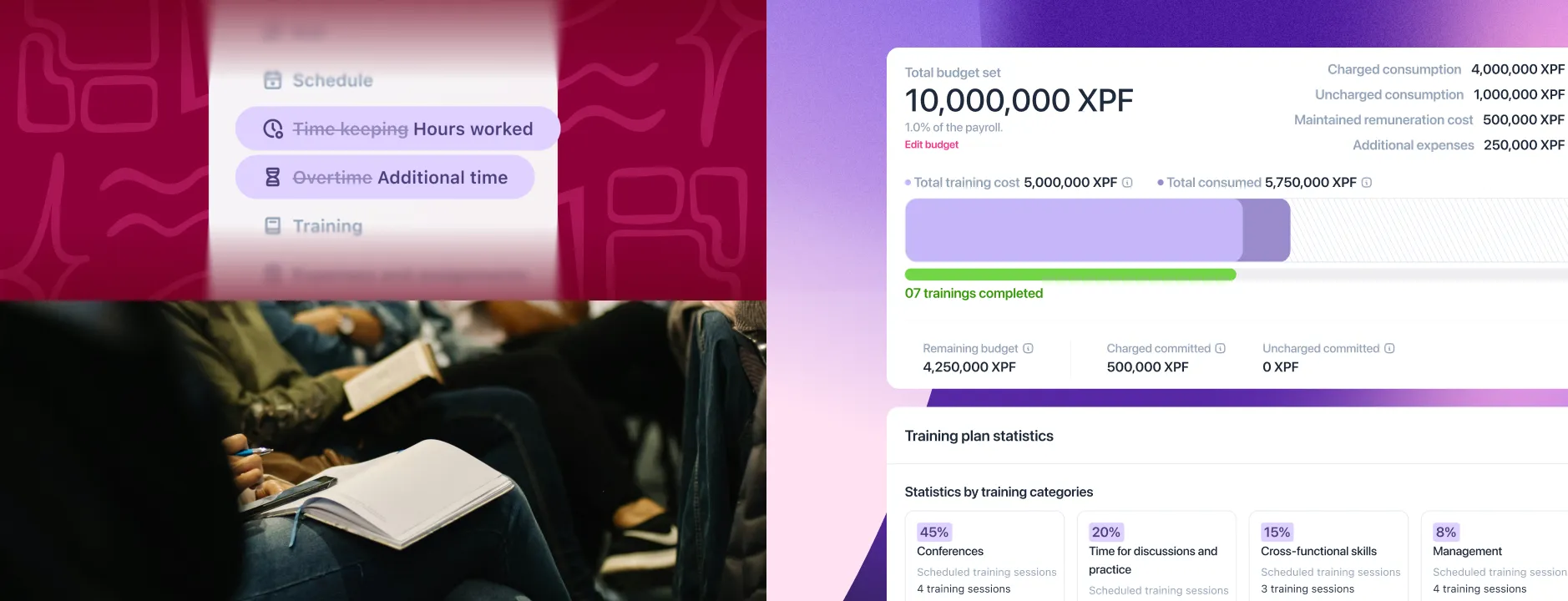
Training, clearer menus and multi-module oversight
1 new feature3 functional improvements
Improved training experience, updated labels and other new features
This release brings one new feature and several functional improvements: more complete training management, clearer menu labels and new links between the Absences, Planning and Expense reports modules.
Training improvements
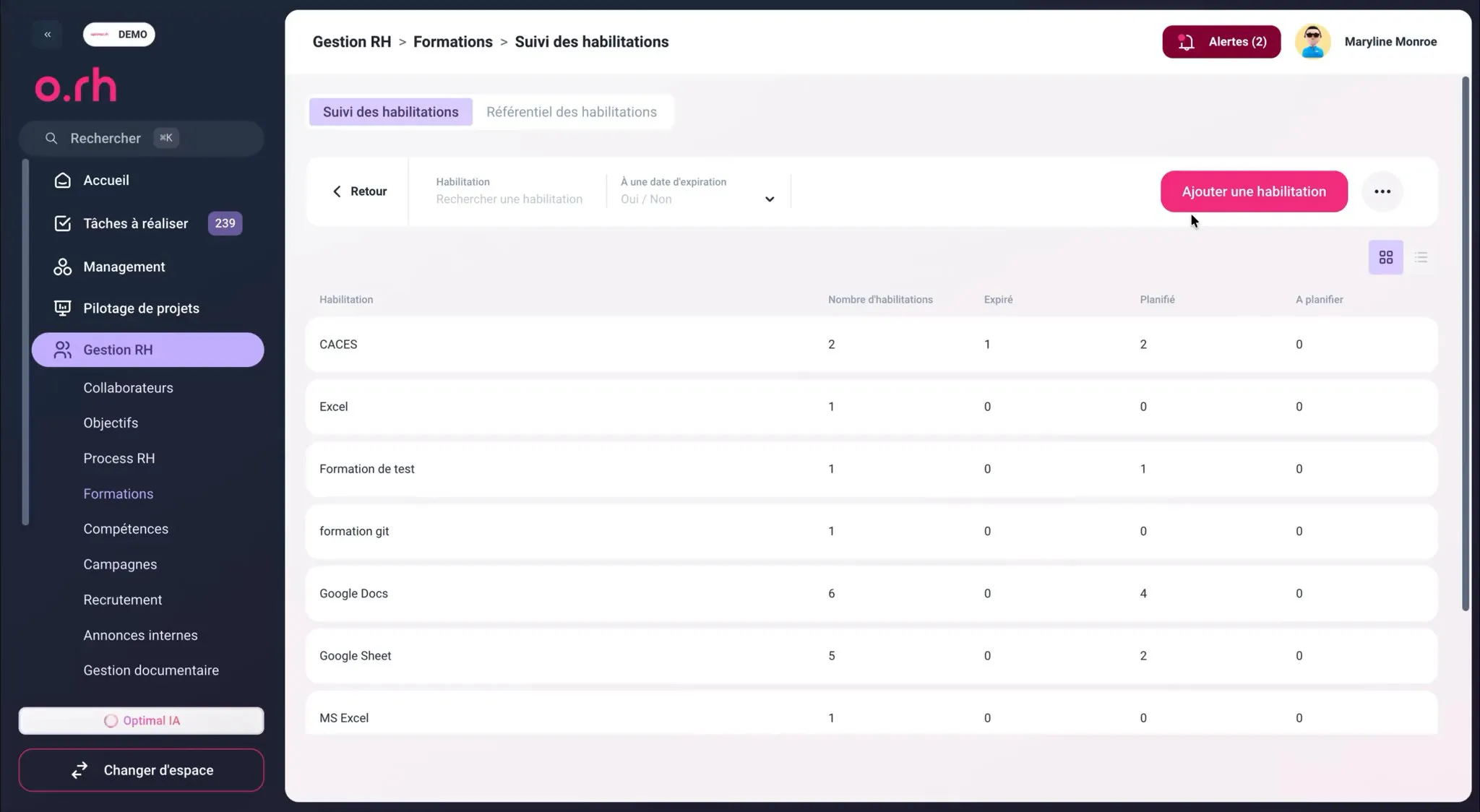
Improved certification management
- Training sessions leading to obtaining or renewing a certification are scheduled directly from this screen.
- Each certification is linked to the employee with its date obtained and expiry date, and everything can be viewed from a single screen.
- See at a glance which certifications are valid, which are about to expire and which need renewing, without re-entering or cross-checking information.
Improved training experience
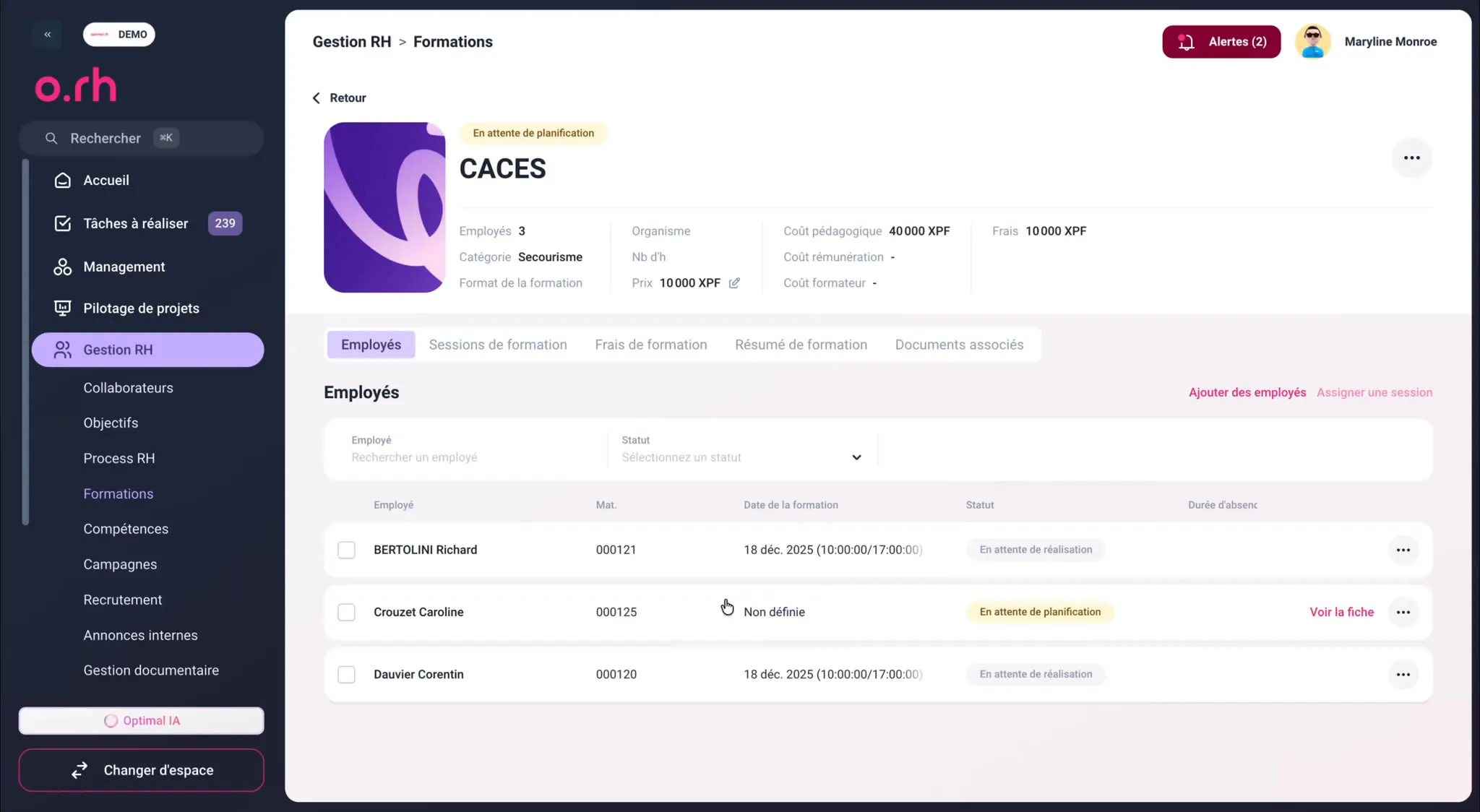
- Create your training courses and schedule their sessions (dates, location, seats), so you can run the same course again during the year or split it by group.
- Employees are enrolled session by session, and each employee’s training history is updated in their record.
- Every employee has a training history available from their record, and you keep an overview of upcoming sessions, enrolled participants and remaining seats.
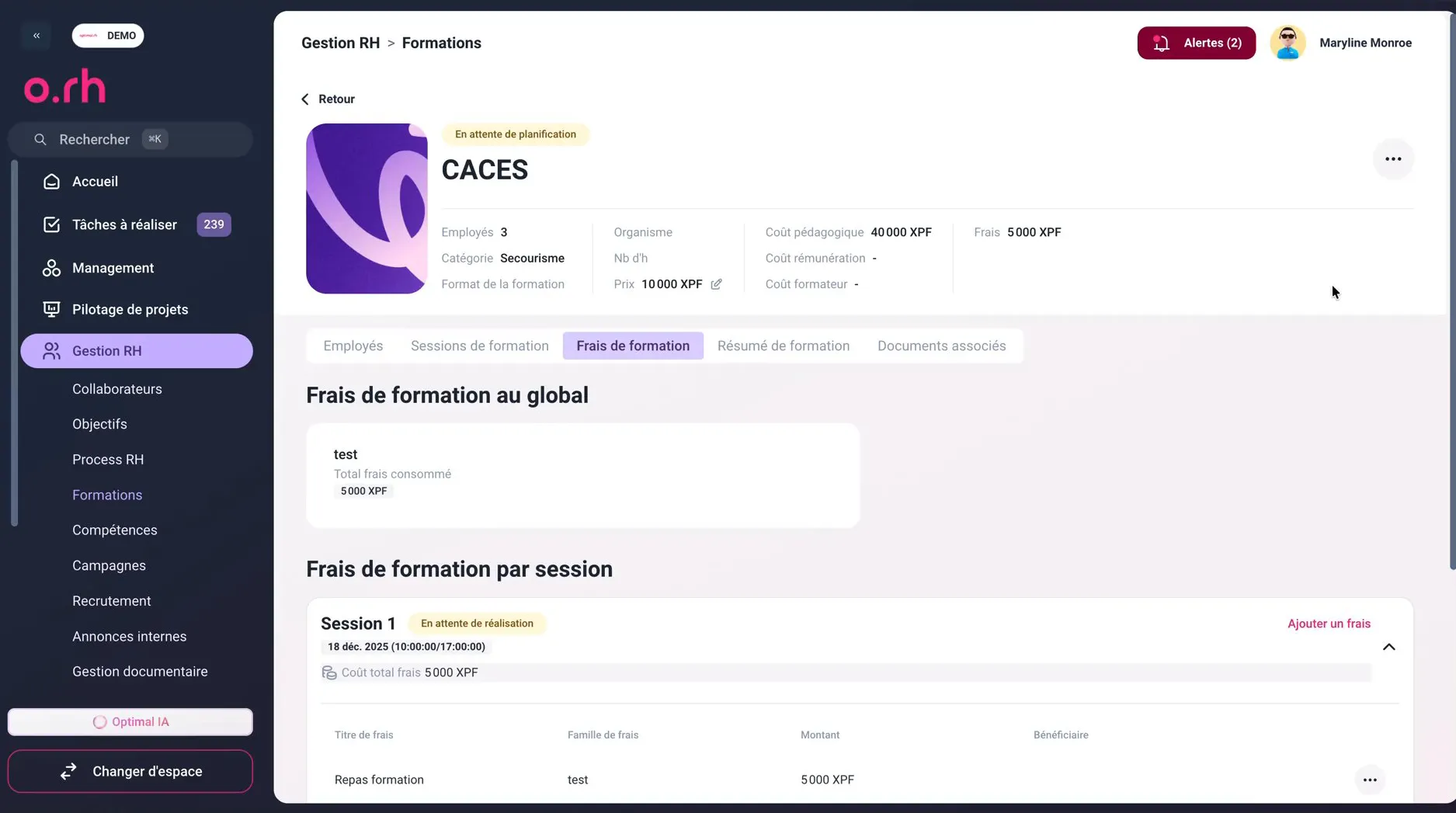
- Track the number of sessions and participants, hours completed, expenses incurred (room hire, equipment, training provider services, participants’ expense reports) and the cost of salary maintained during training.
- The actual cost of each session is calculated automatically, by department or over the year.

Updated labels
Time keeping → Hours worked
“Time keeping” may suggest that hours are necessarily recorded through a badge system. In o.RH, however, hours worked can be entered in several ways. “Hours worked” is therefore a more neutral, broader name that better fits how the module works.
Overtime → Additional time
In HR terms, overtime refers to a precise notion, with a pay premium. In o.RH, it is simply about declaring additional working time: “Additional time” avoids any ambiguity.
More new features
Absences
- You can now make a supporting document mandatory after the fact, once the request has been entered and before it is approved: the absence cannot be approved until the expected document has been uploaded.
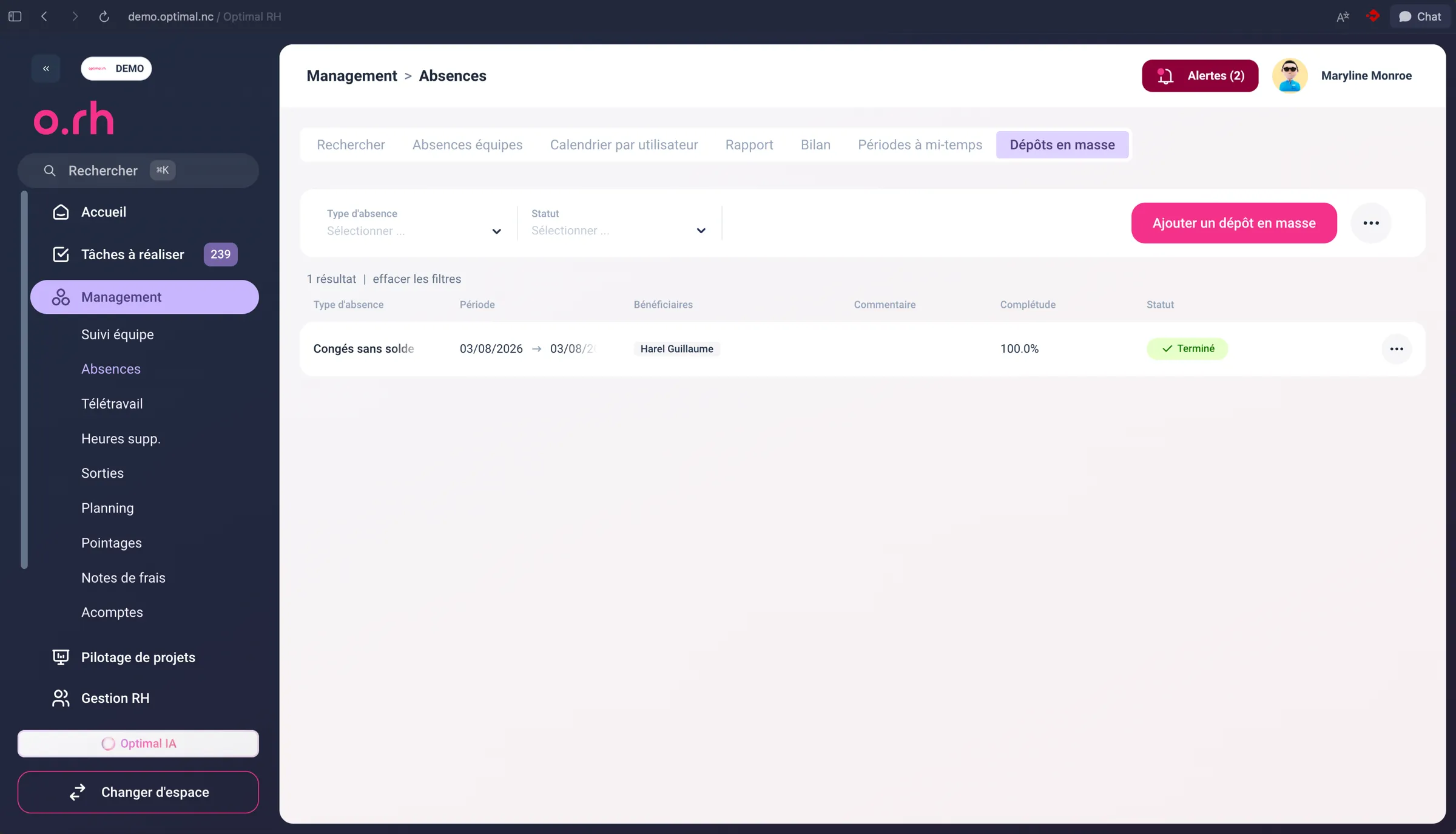
- Documents can also be uploaded and imported in bulk from an Excel file, which greatly simplifies high-volume processing and historical data imports.
Planning
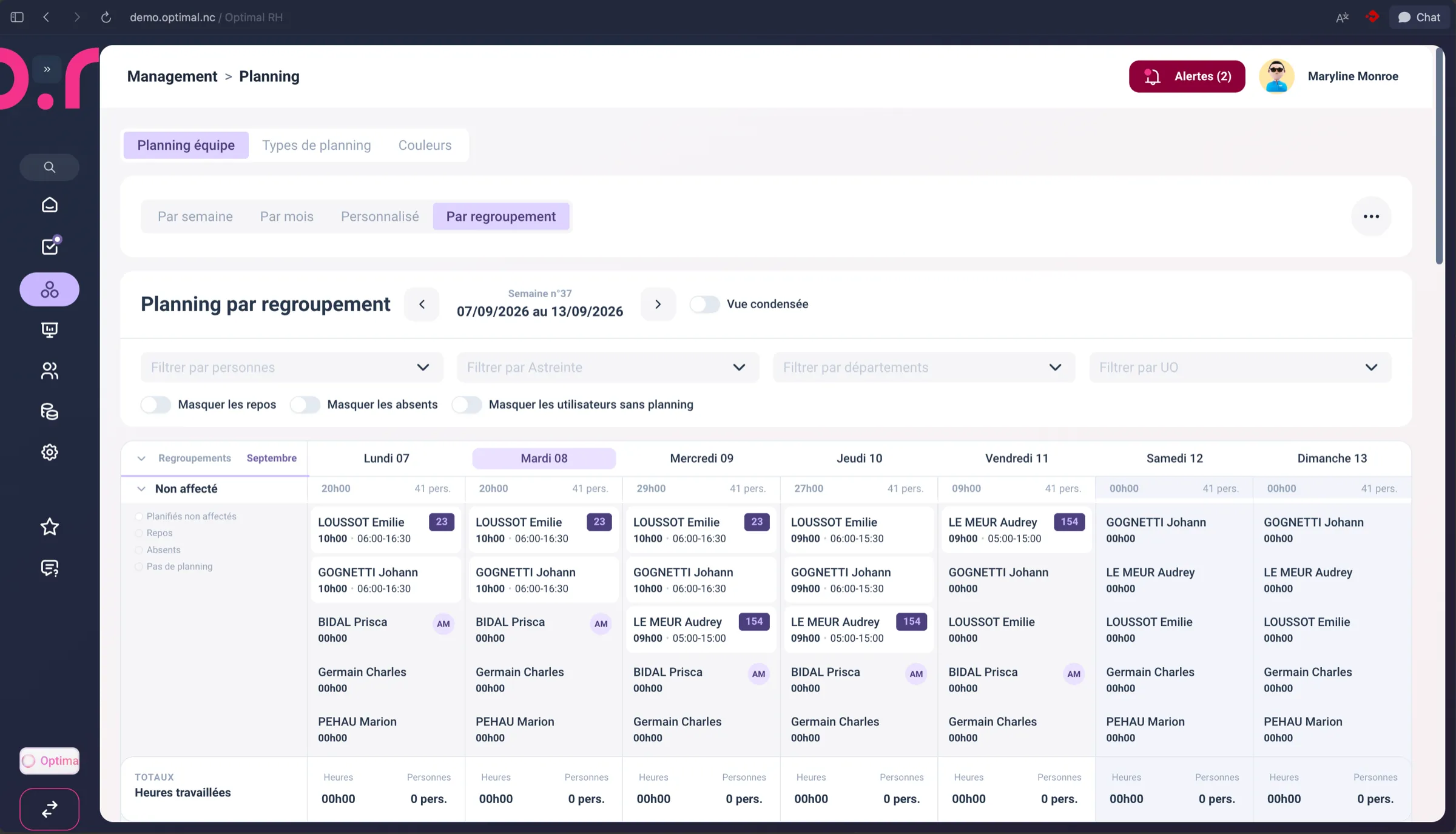
Schedules can now be organised by grouping, to manage separately and simultaneously scopes that follow different logics: a shop schedule, an on-call rotation, a field team, etc.
Expense reports
The Expense reports module is now linked to the Training module: expenses incurred for a training session are attached to it directly, without re-entry.